Homarr: The Complete Modern Homelab Dashboard & Docker Management Guide
The Homelab Cockpit: Organizing Infrastructure with Homarr
As a homelab expands to run dozens of services—Nextcloud, Jellyfin, Vaultwarden, Pi-hole, and qBittorrent—memorizing discrete IP addresses and port numbers becomes chaotic. Every self-hoster needs a centralized dashboard. Homarr provides the premier modern dashboard solution for managing private infrastructure.
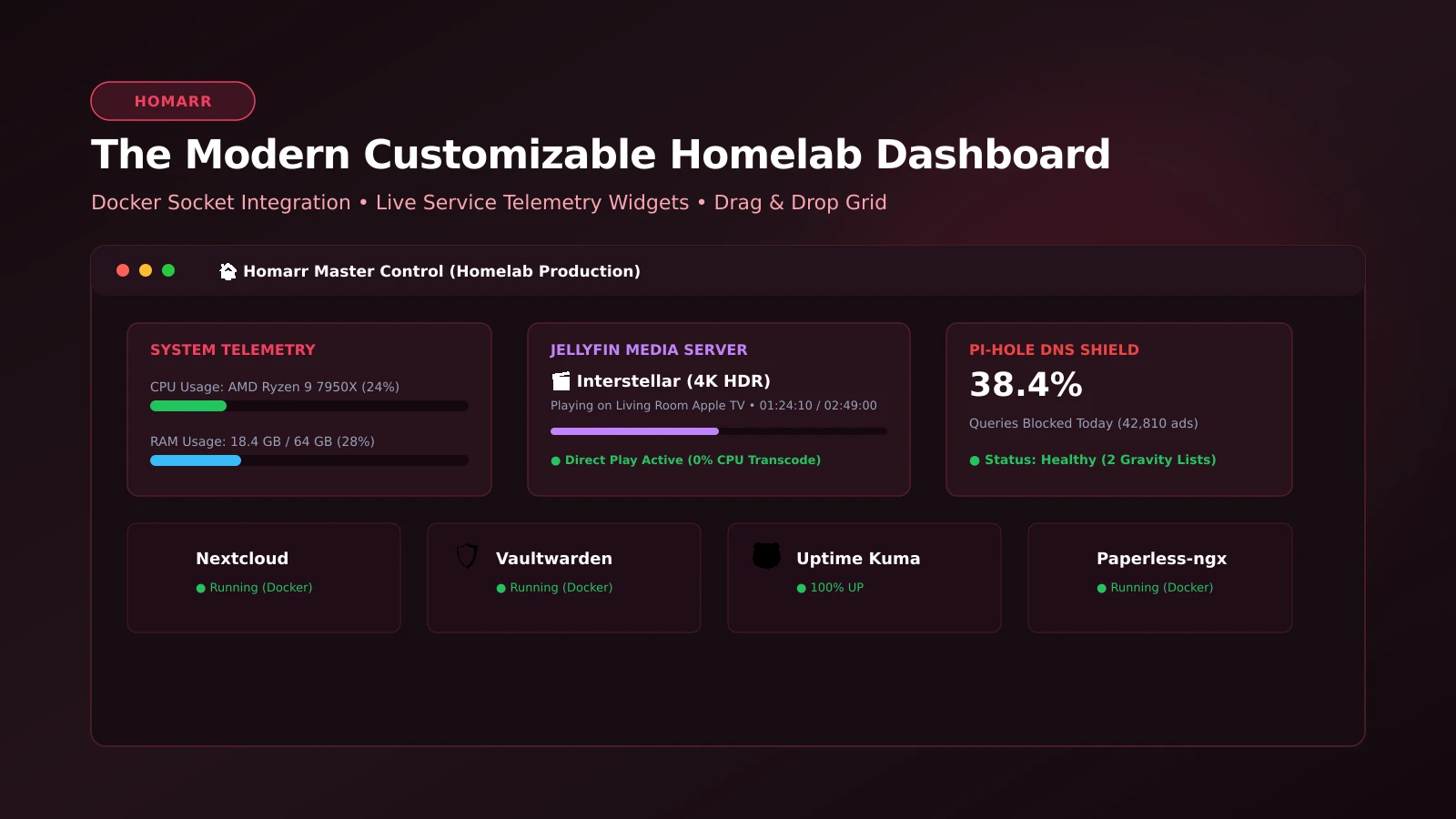
Far more than a static directory of web bookmarks, Homarr delivers an interactive, modular control plane. It integrates real-time widgets communicating directly with downstream services: tracking active torrent speeds in qBittorrent, displaying currently playing media on Jellyfin, monitoring DNS queries blocked by Pi-hole, and controlling Docker container states with a single click.
What It Is
Homarr is an open-source (AGPL-3.0) homelab portal and application dashboard built on modern web foundations (Next.js and TypeScript). It features a responsive drag-and-drop grid workspace, multi-board support, custom icon packs, dark mode theming, and role-based user management.
The software binds directly to the local Docker socket to discover containers automatically, surface real-time CPU/memory metrics, and offer start/stop/restart controls directly from dashboard tiles.
Why You Have Not Heard Of It
Homarr has rapidly eclipsed legacy dashboard alternatives (such as Heimdall and Homer) across the self-hosted ecosystem. By prioritizing live interactivity, visual polish, and automated integration plugins, it has become the standard start page for modern homelabs.
How It Works
Homarr operates via an efficient micro-service architecture:
- Live Integration Subsystem: Polls external service APIs to update telemetry badges, stream progress, and health metrics every few seconds.
- Docker Socket Bridge: Queries
/var/run/docker.sockto track container health, resource utilization, and operational lifecycles. - Zero-Database JSON/SQLite Architecture: Stores boards, credentials, and widget configurations locally, making snapshot backups trivial.
Step-by-Step Deployment Guide
Deploying Homarr with Docker Compose:
services:
  homarr:
    container_name: homarr
    image: ghcr.io/homarr-labs/homarr:latest
    restart: unless-stopped
    ports:
      - "7575:7575"
    volumes:
      - /var/run/docker.sock:/var/run/docker.sock:ro
      - ./homarr_data:/app/data/configs
      - ./homarr_icons:/app/public/icons
    environment:
      - SECRET_ENCRYPTION_KEY=generate_a_secure_32_character_key_here!
      - TZ=UTC
Start the container:
docker compose up -dOpen http://<SERVER_IP>:7575 to access the initial configuration wizard, populate your service tiles, and configure dynamic status widgets.
What It Replaces
- Cluttered Browser Bookmarks: Replaces scattered local URL shortcuts with a centralized, responsive start page.
- Legacy Static Dashboards: Elevates static bookmark lists into dynamic, live-updating telemetry hubs.
- Disconnected Service Checking: Consolidates status checks for media servers, downloaders, and network ad-blockers into one screen.
Limitations
Homarr is an application portal and status launcher; it does not replace deep time-series metric platforms (like Grafana) designed for long-term server telemetry storage.
Who It Is For
- Homelab operators seeking a unified, polished control plane for their container fleet.
- Households requiring an accessible, centralized portal for family media and storage services.
- Systems administrators managing small local server clusters.
Conclusion
Homarr is the definitive finishing touch for any self-hosted setup. Combining modern visual aesthetics with deep service integrations, it gives you complete command over your homelab.