File Browser Archived: Security Vulnerabilities and Migration Paths for Self-Hosters
End of an Era: File Browser Reaches End-of-Life with Unpatched Security Debt
On September 1, 2026, creator Henrique Dias officially placed the filebrowser/filebrowser repository into read-only archive status on GitHub. With more than 35,900 stars and millions of Docker container pulls, File Browser served as the default lightweight file manager for homelabs, virtual private servers, and network-attached storage setups for a decade. The archival is final. The project maintainers have announced that no further releases, maintenance commits, or security patches will be published.
The announcement carries immediate operational consequences for systems administrators. Unlike software retirements where a codebase reaches functional maturity in a stable state, File Browser enters retirement carrying two unaddressed architectural vulnerabilities documented in open issue trackers. Operators who continue running File Browser without compensating security controls leave their infrastructure exposed.
The Archival Decision
File Browser began as a single Go binary created to navigate directories and edit files through a browser interface without the resource footprint of full-suite platforms such as Nextcloud. Over its lifespan, the project expanded to support multi-user permissions, external command hooks, and custom branding.
Maintainer Henrique Dias outlined the rationale in a July 2026 retrospective titled “Goodbye File Browser, for Real This Time,” followed by the repository archival on September 1, 2026. The maintenance burden of reviewing continuous pull requests, triaging automated dependency alerts, and maintaining backward compatibility across diverse storage backends outpaced the capacity of volunteer maintainers. With no corporate backer or dedicated foundation to assume governance, archiving was chosen over handing write access to unverified contributors.
Two Unfixed Architectural Flaws
The repository README and security advisories outline two distinct architectural flaws that will never receive upstream fixes.
Inbound request hits the outer ingress layer and routes to the File Browser backend.
- Issued tokens remain cryptographically valid until natural timestamp expiration
- Password resets or logout clicks do not invalidate intercepted tokens on the wire
Allows command execution from the web UI under container privileges, exposing host system processes.
1. Stateless JWT Tokens with No Revocation Store (Issue #5216)
File Browser manages client authentication through JSON Web Tokens (JWT). The tokens are stateless and cryptographically signed using a local secret key. However, the runtime includes no server-side token revocation table, token denylist, or session registry.
This omission introduces severe security consequences:
- Password Changes Do Not Terminate Active Logins: When a user changes their password or an administrator modifies an account credential, previously generated JWT tokens remain valid until their expiration timestamp passes.
- Logouts Are Client-Side Only: Clicking “Logout” in the web dashboard simply purges the token from the browser local storage. The signature remains valid on the wire. A captured token can be reused by an adversary until natural expiration.
- Unbounded Refresh Token Reuse: Refresh tokens can be submitted repeatedly to issue new valid authentication credentials without server-side validation against a revoked session list.
In a zero-database architecture, implementing server-side session tracking requires either an in-memory synchronized store (which complicates multi-instance deployments) or persistent SQLite mutations on every request. The maintainers opted not to rewrite the authentication engine before retirement.
2. Command Execution and Runner Vulnerabilities (Issue #5199)
File Browser includes an optional command runner feature designed to allow operators to trigger local scripts (such as unzipping archives or triggering media re-indexing) directly from the browser interface.
Across several published advisories, this subsystem suffered from recurring command injection and path escape bugs. While the flag --disable-exec=true is the default setting, re-enabling it with --disable-exec=false allows any authenticated user with command privileges to achieve arbitrary code execution as the user running the process. In typical homelab deployments where the container runs as root, this directly translates to root-level host system compromise.
The maintainers noted that making the runner safe would require an entire architectural overhaul, sandboxed subprocess wrappers, and strict argument sanitization. Because that rewrite never happened, the feature remains dangerous.
Containment Strategy for Existing Installations
If your environment cannot decommission File Browser immediately, apply the following containment measures to prevent compromise:
1. Enforce Perimeter Authentication
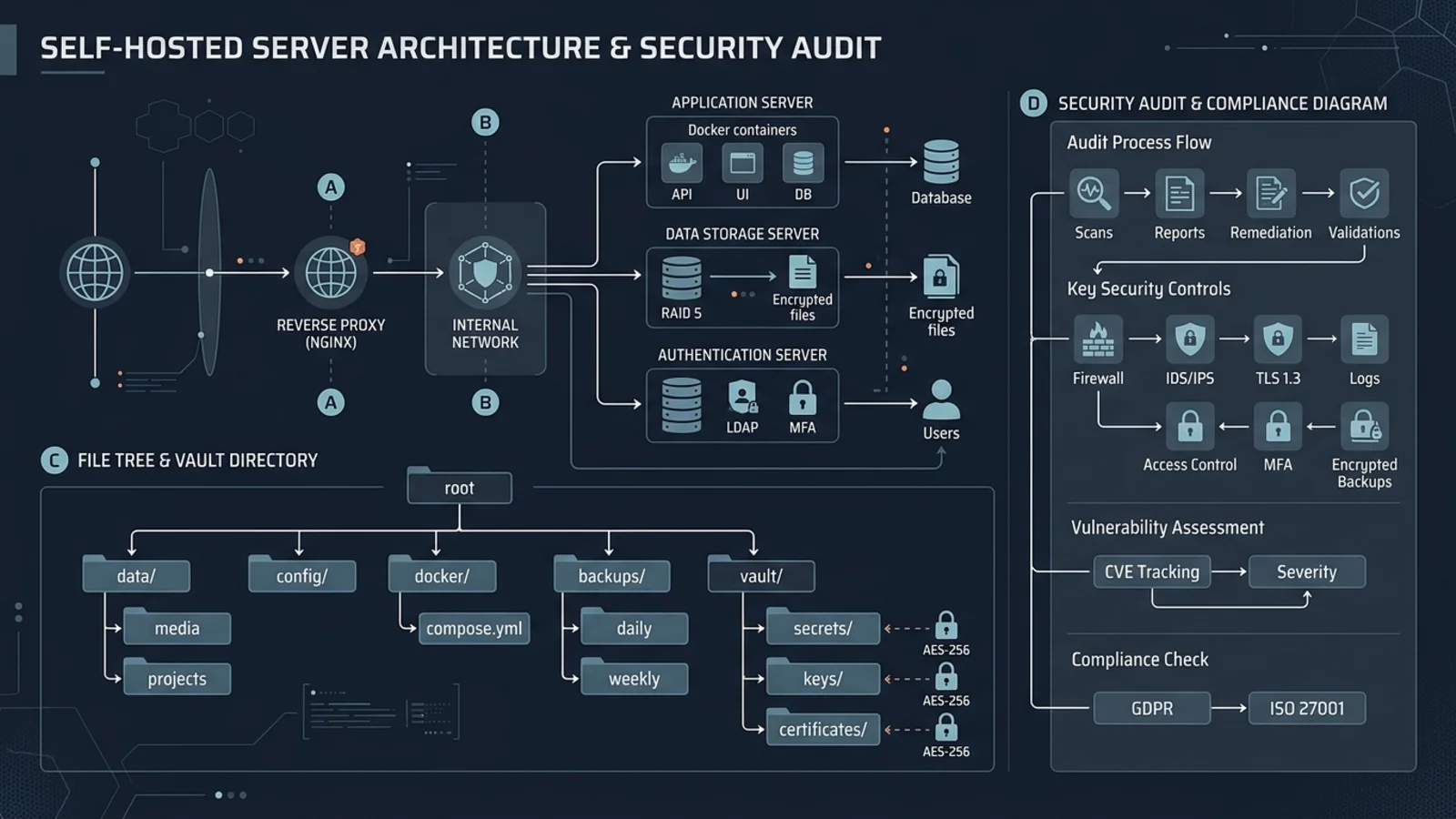
Never expose File Browser directly to the public internet on an open port. Place the container behind a hardened reverse proxy (Traefik, Nginx, or Caddy) and mandate external authentication before requests touch File Browser.
Use forward-authentication systems such as Authelia, Authentik, or Cloudflare Zero Trust Access. When authentication happens at the reverse proxy edge, unauthenticated requests never reach File Browser’s JWT verification routines.
2. Lock Down Container Privileges and File System Access
Never run File Browser as root or mount the host Docker socket. In your Docker Compose configuration, enforce non-root execution and drop all kernel capabilities:
services:
  filebrowser:
    image: filebrowser/filebrowser:v2.32.0
    container_name: filebrowser
    security_opt:
      - no-new-privileges:true
    cap_drop:
      - ALL
    user: "1000:1000"
    read_only: true
    tmpfs:
      - /tmp:rw,noexec,nosuid,size=64m
    volumes:
      - /srv/data:/srv/data:rw
      - /srv/filebrowser/config/settings.json:/etc/settings.json:ro
      - /srv/filebrowser/data/filebrowser.db:/filebrowser.db:rw
    environment:
      - FB_NOAUTH=false
    command:
      - "--disable-exec=true"
      - "--address=0.0.0.0"
      - "--port=8080"
      - "--database=/filebrowser.db"
      - "--root=/srv/data"
    restart: unless-stopped
Ensure that --disable-exec=true is explicitly passed in the launch arguments, even if default documentation claims it is disabled.
Recommended Migration Alternatives
Several actively maintained open-source alternatives offer modern architectures, active security triage, and clean migration paths.
| Feature | File Browser (Archived) | SFTPGo | Cloudreve | OwnCloud Infinite Scale |
|---|---|---|---|---|
| Active Maintenance | No (Archived 2026-09-01) | Yes (v2.6.x) | Yes (v3.8.x) | Yes (v5.x) |
| Primary License | Apache-2.0 | AGPL-3.0 | GPL-3.0 | Apache-2.0 |
| Authentication | Stateless JWT (No Revocation) | Argon2id, OIDC, LDAP | Session DB, MFA, OIDC | OIDC (Keycloak/Authelia) |
| Storage Backends | Local Filesystem | Local, S3, GCS, Azure, SFTP | Local, S3, WebDAV, OneDrive | Local, EOS, S3 |
| Web Management UI | Yes | Yes (Modern Web Client) | Yes (Full Cloud Portal) | Yes (Modern Vue/Web UI) |
| Resource Usage | Extremely Low (~20MB RAM) | Low (~45MB RAM) | Moderate (~80MB RAM) | Moderate (~120MB RAM) |
1. SFTPGo (Top Recommendation for Systems Operators)
For users who selected File Browser for raw performance and local directory mapping, SFTPGo is the strongest drop-in replacement. Written in Go, it features an integrated web administration panel, a separate web file client, and support for SFTP, FTP/S, WebDAV, and S3 protocols over the same storage pool.
SFTPGo handles security correctly:
- Passwords hashed using Argon2id or bcrypt.
- Native two-factor authentication (TOTP).
- Support for external OpenID Connect and LDAP providers.
- Dynamic per-user rate limiting and IP allowlisting.
- Fully auditable security logging.
Deploying SFTPGo with Docker Compose:
services:
  sftpgo:
    image: drakkan/sftpgo:v2.6.2-alpine
    container_name: sftpgo
    security_opt:
      - no-new-privileges:true
    ports:
      - "8080:8080"
      - "2022:2022"
    volumes:
      - /srv/sftpgo/data:/srv/sftpgo
      - /srv/shared_storage:/srv/shared_storage
    environment:
      - SFTPGO_HTTPD__BINDINGS__0__PORT=8080
      - SFTPGO_HTTPD__BINDINGS__0__ENABLE_WEB_ADMIN=true
      - SFTPGO_HTTPD__BINDINGS__0__ENABLE_WEB_CLIENT=true
    restart: unless-stopped
2. Cloudreve (Best for Multi-User Cloud Portals)
If your homelab setup relies on public file sharing links, file expiration timers, and multiple remote storage targets (such as combining local NVMe storage with Backblaze B2 or Wasabi), Cloudreve provides a feature-complete web drive interface. It supports WebDAV, multi-threading upload acceleration, and client-side credential encryption.
3. OwnCloud Infinite Scale (OCIS)
For organizations seeking an enterprise-grade platform without PHP legacy debt, OwnCloud Infinite Scale is written entirely in Go with microservices architecture and zero MySQL dependency, using modern metadata storage engines and OpenID Connect natively.
Conclusion
The retirement of File Browser closes a significant chapter in self-hosted infrastructure. Its minimalist Go footprint set the standard for lightweight utility containers. However, production infrastructure demands active security maintenance. Operators running File Browser should audit their exposure, disable command execution, enforce reverse proxy perimeter protection, and plan migrations to maintained platforms such as SFTPGo.