cua-driver: Background-First Desktop Automation and Multi-Tier Accessibility for AI Agents
The Human-Agent Collision Problem: Why Desktop Automation Demands Background Execution
Autonomous agents designed to operate graphical user interfaces face an immediate usability breakdown the moment they run on a developer machine: hardware pointer contention. When an agent relies on traditional GUI automation libraries like PyAutoGUI or standard screen-coordinate capture APIs, it commandeers the operating system pointer and steals active window focus. If an engineer attempts to review code or write an email while an autonomous agent fills out web forms or interacts with an IDE, both entities battle for the cursor. Keystrokes land in the wrong input fields, clicks misfire across overlapping windows, and the agent fails its assigned task.
Early computer-use architectures treated the desktop as an exclusive single-tenant environment. This design assumption made sense in isolated cloud virtual machines, but it collapsed in local developer environments. While Anthropic expanded model capabilities with the Claude Agent Stack GA release and in-browser automation via Claude in Chrome, native desktop execution on personal developer machines introduces hardware pointer contention that browser sandboxes avoid. Relying strictly on raw pixel coordinates calculated from vision models also calculated from vision models introduced high failure rates. Minor DPI changes, font smoothing adjustments, or window resizing caused agents to click blank canvas areas or misidentify buttons.
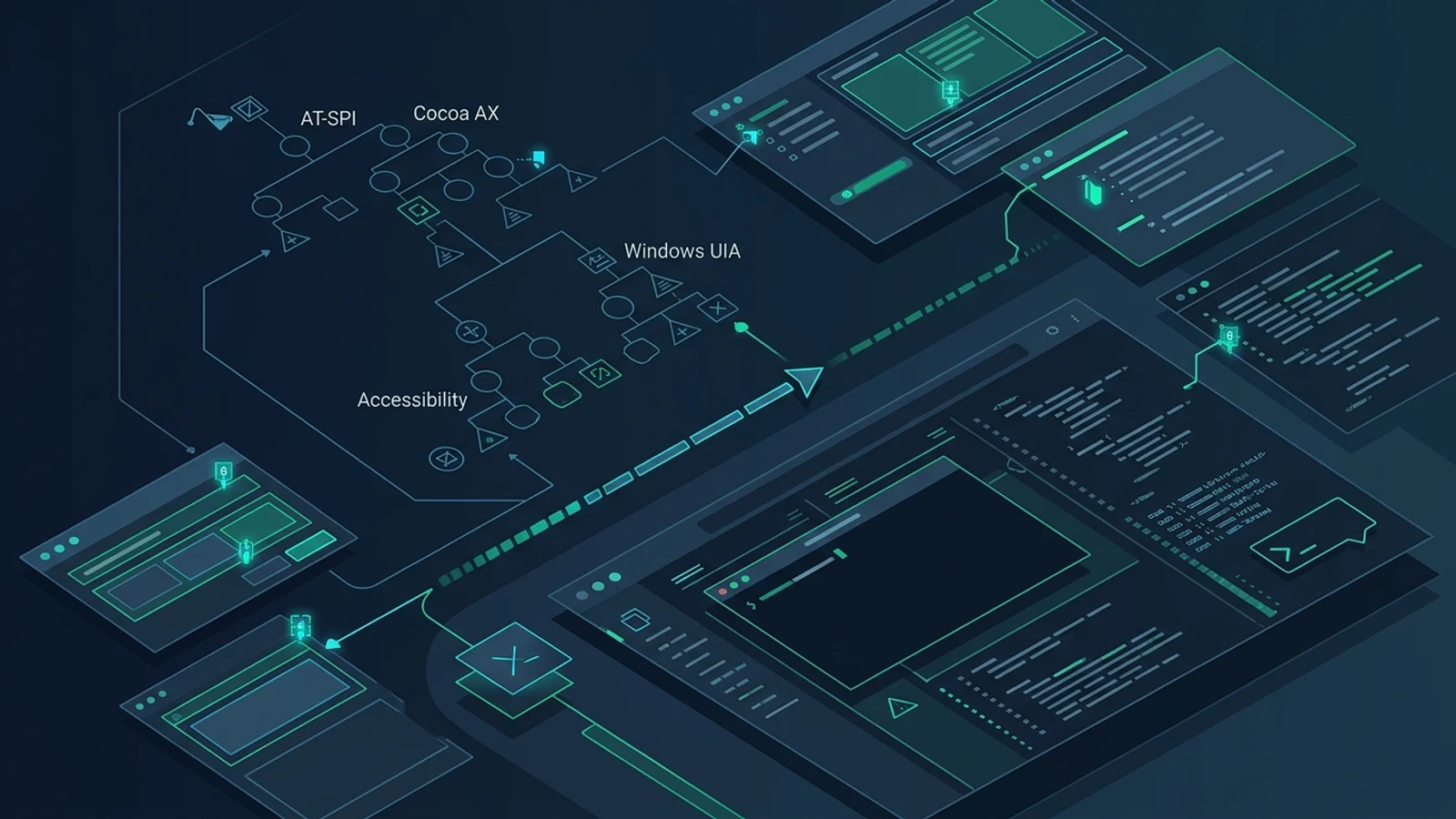
Under active development by TryCua and maintainer Francesco Bonacci under the MIT license, cua-driver (version 0.23.2) fundamentally re-architects desktop automation for AI agents. Instead of treating the operating system as a static video stream with a hijacked mouse pointer, cua-driver establishes background-first synthetic input routing, exposes native accessibility trees across Linux, macOS, and Windows, and delivers structured verification ladders over the Model Context Protocol (MCP).
Hijacks hardware cursor and window focus, locking the developer out of their workstation while the agent is running.
Dispatches synthetic events directly to target window surfaces without cursor theft or desktop workspace switching.
- Perception Layer: SOM (Set-of-Mark), raw vision, and native accessibility (AX) tree inspection
- Dispatch Engine: Direct synthetic input routing to background window surfaces
- Verification Ladder: Stepped confirmation from
confirmedtounverifiable,px, andforeground - Visual Presence: Independent animated session pointers (Lottie Cursors)
AT-SPI2 accessibility bus and virtual Wayland outputs
Cocoa AX APIs and automated TCC permissions
Microsoft UI Automation COM interfaces
Deconstructing the Background Input Dispatch Engine
The primary design principle of cua-driver is non-intrusive background operation. When an agent clicks a button, scrolls a viewport, or enters text into an inactive window, the human user cursor remains untouched, active keyboard focus stays in the foreground editor, and virtual desktops do not switch.
Achieving non-intrusive input requires platform-specific kernel and display subsystem integrations rather than generic user-space click simulations:
-
Linux (X11 and Native Wayland): Under X11, cua-driver routes events directly to target window identifiers (
XSendEvent/ dedicated window surfaces) rather than broadcasting global XTest pointer motion. On modern Wayland environments, the driver interfaces with the FreeDesktop RemoteDesktop portal and native Wayland helper daemons, using AT-SPI (org.a11y.Bus) over the D-Bus session bus to manipulate application widgets without requiring compositor-level window activation. -
macOS (Cocoa AX and TCC Attribution): On Darwin systems, cua-driver operates through CoreGraphics event tap primitives and Cocoa Accessibility APIs. Instead of executing system-wide synthetic events that disrupt user work, it targets specific window server layers and application instances. When running in standalone MCP mode, it explicitly attributes Transparency, Consent, and Control (TCC) permissions to the invoking host runtime.
-
Windows (UI Automation UIA): On Windows, cua-driver binds to the UI Automation framework and Windows message queues (
WM_COMMAND,WM_SETTEXT, and target window handles), enabling direct programmatic actuation of controls without altering system focus or triggering intrusive taskbar flashing.
# Verify platform subsystems and accessibility bus status
$ cua-driver doctor --json
{
  "ok": true,
  "probes": [
    { "label": "binary", "message": "cua-driver 0.23.2 (x86_64-linux)", "status": "ok" },
    { "label": "display server", "message": "X11 (DISPLAY=:0.0)", "status": "ok" },
    { "label": "AT-SPI", "message": "org.a11y.Bus reachable via session bus", "status": "ok" }
  ]
}
Perception Modes: From Raw Pixels to Set-of-Mark Indexing
Language models struggle when forced to output raw floating-point coordinates on complex, high-density displays. A vision model processing a 1920x1080 frame downscaled to 1024 tokens frequently misses a 16x16 pixel icon by twenty pixels.
To solve coordinate hallucination, cua-driver provides three distinct perception modes via the capture action:
| Mode | Returned Artifacts | Primary Use Case | Token Efficiency |
|---|---|---|---|
som (Set-of-Mark) | Annotated screenshot + numbered element tags + indexed AX tree | Vision models (Claude, GPT-4o, Gemini) | Balanced: one image token cost plus structured label map |
vision | Unannotated raw screenshot | Visual diff verification and layout validation | Standard image tokens |
ax | Pure accessibility tree hierarchy (JSON / text) | Text-only LLMs and lightweight agent loops | Zero image tokens, microsecond execution latency |
In som mode, cua-driver inspects the active application accessibility hierarchy, extracts bounding boxes for all interactive nodes (buttons, inputs, links, tabs), and overlays numbered high-contrast markers directly on the frame:
Accessibility Tree Query:
[1] AXButton: "Back" @ (12, 80, 28, 28)
[2] AXTextField: "Address bar" @ (80, 80, 900, 32)
[3] AXButton: "Run Build" @ (990, 80, 85, 32)
[4] AXLink: "Documentation" @ (20, 240, 110, 20)
Instead of predicting arbitrary coordinates like {"x": 1032, "y": 96}, the model issues a deterministic instruction:
{
  "action": "click",
  "element": 3,
  "capture_after": true
}
Targeting elements by semantic index eliminates resolution-dependent guesswork. If the application window shifts or resizes, the accessibility node maintains its identity, enabling reliable execution across desktop environments.
The Verify-to-Escalate Input Ladder
A common flaw in desktop agents is assuming an action succeeded simply because an API call returned HTTP 200. Real desktop interfaces exhibit asynchronous rendering lag, stale accessibility nodes, custom canvas rendering engines, and toolkit-specific input drops.
cua-driver enforces a formal five-step verification and escalation ladder:
- Confirmed Effect: Native accessibility (AX) verified state change ← Complete
- Unverifiable: Fresh inspection triggered to re-capture state before retrying
- Suspected No-op / Refusal: Escalates to coordinate targeting
- Confirmed / Validated: Visual screenshot diff verifies state change ← Complete
- Unavailable / Refused: Escalates to foreground execution
Temporarily raises window, applies deterministic synthetic event, and immediately restores user focus.
Bypasses synthetic GUI events entirely, routing the operation through terminal commands, DBus calls, or direct file I/O.
Navigating Toolkit Anomalies: The Synthetic Input Drop Problem
A critical discovery documented in cua-driver testing involves synthetic event handling in specific GUI toolkits. Certain Qt components, such as the KTextEditor widget used in KDE applications like Kate and KWrite, discard synthetic X11 and Wayland keystrokes by design. The operating system reports successful event injection, but the internal text buffer never updates.
Rather than allowing an agent to enter an infinite retry loop, cua-driver detects this condition. When an agent verifies that synthetic input had zero effect after a foreground escalation, the driver directs the agent to drop down to native system interfaces: writing the file via standard terminal tools or issuing commands across D-Bus.
MCP Protocol Integration and Daemon Architecture
cua-driver functions as a native Model Context Protocol (MCP) server. Any MCP-compatible agent, including Claude Code, Codex, Hermes, and Cursor, can connect to it over stdio or through a background daemon socket. For architectural context on how agent servers are transitioning away from stateful transport sessions, see our analysis of the MCP stateless specification roadmap.
# Launch as a direct stdio MCP server for agent hosts
cua-driver mcp

# Or start the persistent system daemon
cua-driver serve --permission-mode standard
To integrate cua-driver into Claude Code, add it to your project or global MCP configuration:
{
  "mcpServers": {
    "computer-use": {
      "command": "cua-driver",
      "args": ["mcp"]
    }
  }
}
When connected over MCP, cua-driver exposes a clean action interface:
capture       mode="som"|"vision"|"ax"   app="<Application Name>"
click         element=N | coordinate=[x,y]   button="left"|"right"|"middle"
double_click  element=N | coordinate=[x,y]
right_click   element=N | coordinate=[x,y]
drag          from_element=N, to_element=M (or from/to_coordinate)
scroll        direction="up"|"down"|"left"|"right"   amount=3
type          text="npm run build"
key           keys="ctrl+c" | "return" | "escape"
wait          seconds=0.5
list_apps
focus_app     app="<Application Name>"   raise_window=false
Notice that focus_app sets raise_window=false by default. Raising a window into the foreground is treated as an exceptional escalation, preserving the background-first contract.
Independent Visual Presence: Session-Keyed Cursors
In multi-agent environments or paired human-agent workflows, a major pain point is knowing what the agent is currently doing without it stealing the physical mouse pointer.
cua-driver resolves this by rendering an independent software cursor overlay directly onto the display server. Each active MCP session receives its own session-keyed cursor rendered via lightweight Lottie animation themes (cua-cursor-theme).
# Manage and inspect agent cursor themes
cua-driver cursor-theme list
cua-driver cursor-theme validate default.lottie
When an agent executes an accessibility click or moves across widgets, the agent cursor glides smoothly or pulses over the target element. The human user continues typing and clicking with their hardware pointer uninterrupted, maintaining complete visual transparency into agent activity.
Security Governance, Bounded Modes, and Instant Revocation
Granting an autonomous agent access to desktop input primitives presents significant security risks. A compromised model or an indirect prompt injection attack could attempt to click banking applications, delete files, or exfiltrate private credentials.
cua-driver implements three authorization modes:
- Standard Mode (Default): Requires approval gates for foreground window escalation and destructive OS operations.
- Bounded Mode: Restricts the agent to a strictly vetted capability manifest (
--capability-manifest <path>). The manifest defines allowable applications, prohibited UI paths, and permitted actions. Any attempt to act outside the manifest produces an immediate error. - Unrestricted Mode: Explicitly enabled via
--dangerously-bypass-approvalsfor headless automated test benches.
Session revocation does not depend on LLM compliance or cryptographic tokens. If an operator or watchdog process spots erratic behavior, a single command immediately terminates and revokes all active session grants:
# Immediately revoke an active agent session
cua-driver revoke --session 7f8a91c

# Kill and revoke all active agent sessions
cua-driver revoke --all
Architectural Limitations and Practical Boundaries
While cua-driver addresses the primary friction points of desktop agents, several operational constraints remain:
- Wayland Compositor Fragmentation: While X11 provides consistent window identification, Wayland compositors (GNOME Mutter, KDE KWin, wlroots) implement security isolation boundaries differently. Full background input routing on Wayland relies on the desktop portal system, which requires compositor support for headless virtual input devices.
- Hardware-Accelerated and Custom Canvases: Applications built on raw WebGL, DirectX, or Flutter often do not populate accessibility trees. In these applications, Set-of-Mark cannot extract discrete button nodes, requiring fallback to visual pixel targeting.
- Performance Overhead on Massive Accessibility Trees: In complex software suites containing tens of thousands of UI elements (such as complex CAD packages or full IDE trees), walking the entire AT-SPI or UIA tree can introduce latency. Scoping captures to specific application windows (
app="Chrome") is necessary to keep response times under 150 milliseconds.
The Evolution of Computer Use
Desktop agents cannot succeed if they require developers to abandon their keyboards and watch an AI model drag a mouse cursor across the screen at human speeds. By separating synthetic input dispatch from hardware pointer state, mapping interfaces through native accessibility hierarchies, and formalizing structured verification ladders, cua-driver transforms computer use from an experimental curiosity into a viable background service for autonomous software engineering.