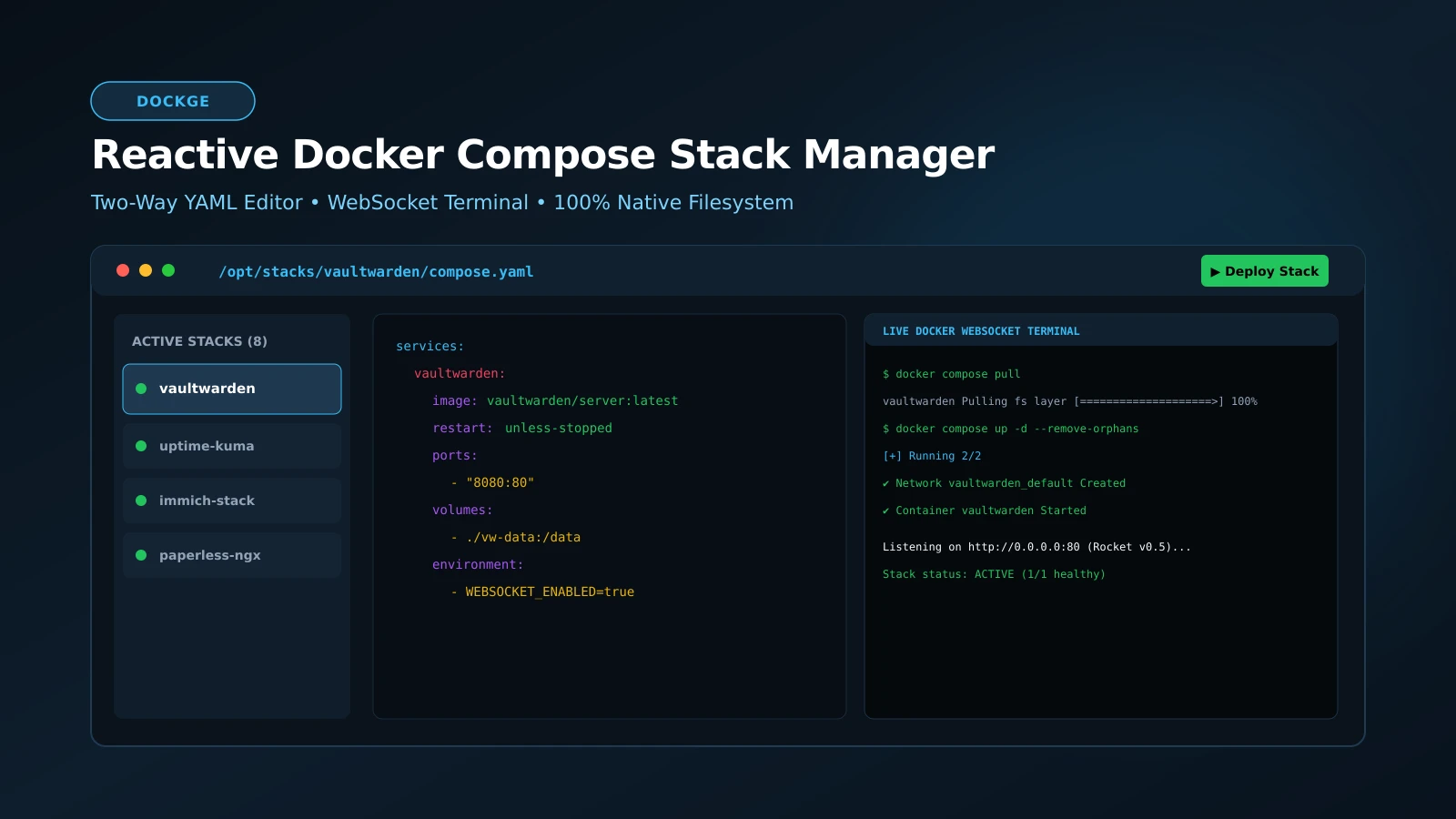
Dockge: The Definitive Reactive Docker Compose Stack Management Guide
Container Simplicity: Managing Docker Compose Stacks with Reactive Ease
Docker Compose is the undisputed standard for orchestrating services across homelabs and production development nodes. Yet administering dozens of YAML configurations across disparate subdirectories via terminal CLI is error-prone, while enterprise platforms like Portainer often obscure configurations inside opaque database volumes. Dockge, developed by Louis Lam (the creator of Uptime Kuma), resolves this dilemma with unmatched elegance.
Dockge champions radical simplicity: your configurations remain pure compose.yaml files organized in standard directories on disk, while presenting an instantaneous, reactive web interface featuring a dual visual-and-raw YAML editor, live deployment terminals, and one-click image upgrades.
What It Is
Dockge is an open-source (MIT), containerized stack manager purpose-built for Docker Compose V2. It monitors your stack directories, mapping each project to a visual service tile showing live container states, CPU metrics, and memory utilization.
Its headline capability is a real-time, two-way synchronized editor: modifying visual form fields (ports, environment variables, volumes) updates the raw YAML pane synchronously—and vice versa—eliminating indentation syntax errors.
Why You Have Not Heard Of It
Engineered to resolve widespread community frustration with Portainer’s heavy footprint and brittle stack import mechanisms, Dockge earned immediate acclaim across the self-hosted community for its strict adherence to native directory structures and zero database lock-in.
How It Works
Dockge integrates directly with host Docker subsystems:
- Native Directory Layout: Manages stacks under a standard path structure (e.g.,
/opt/stacks/<stack_name>/compose.yaml), ensuring you can edit files directly via SSH or Git without breaking Dockge. - Direct Docker CLI Execution: Dispatches native
docker composesubprocess commands directly, guaranteeing full fidelity with all Compose specification primitives. - Reactive WebSocket Engine: Streams container build logs, pull progress, and interactive shell terminals directly to the browser with zero latency.
Step-by-Step Deployment Guide
Deploying Dockge requires mapping the local Docker socket and stack directories. Create /opt/dockge/compose.yaml:
services:
  dockge:
    image: louislam/dockge:1
    container_name: dockge
    restart: unless-stopped
    ports:
      - "5001:5001"
    volumes:
      - /var/run/docker.sock:/var/run/docker.sock
      - ./data:/app/data
      # Primary directory where all managed application stacks will reside
      - /opt/stacks:/opt/stacks
    environment:
      - DOCKGE_STACKS_DIR=/opt/stacks
Start the service:
docker compose up -dNavigate to http://<SERVER_IP>:5001 to set up your administrator credentials and begin managing your stack ecosystem.
What It Replaces
- Heavyweight Portainer Deployments: Delivers a hyper-focused, low-memory Compose dashboard without bloated multi-tenant management overhead.
- Manual Terminal Navigation: Replaces tedious multi-directory
cdcommands with a centralized web dashboard and live terminal executor. - Complex Backup Procedures: Makes backing up your entire server’s container fleet as simple as running
rsyncon/opt/stacks.
Limitations
Dockge focuses specifically on Docker Compose. It does not manage Kubernetes clusters, complex Docker Swarm overlays, or cloud-managed container registries.
Who It Is For
- Homelab sysadmins running multiple interconnected services on a single host.
- Developers seeking a clean, visual staging environment for Docker Compose stacks.
- System administrators wanting effortless multi-agent remote server management.
Conclusion
Dockge is a masterpiece of pragmatic developer tooling. By honoring native filesystem conventions while providing modern reactive web capabilities, it is the essential management console for Docker Compose.