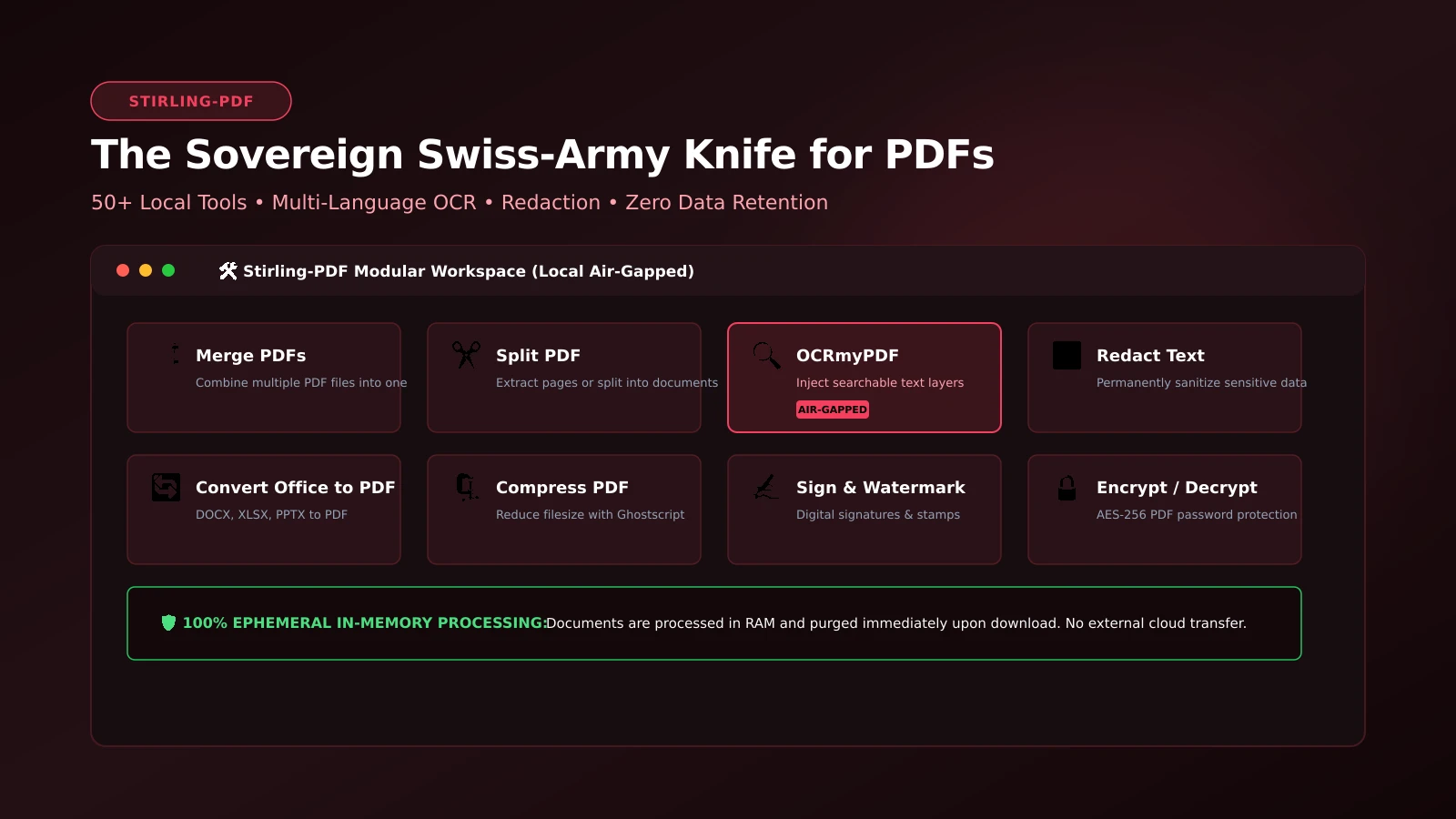
Stirling-PDF: The Ultimate 100% Local Swiss Army Knife for PDF Workflows
Document Sovereignty: Local, Private PDF Manipulation with Stirling-PDF
Manipulating PDF documents—merging agreements, splitting scans, compressing attachments, executing OCR, and redacting confidential data—is a universal daily workflow. However, relying on commercial web converters (such as Smallpdf or iLovePDF) introduces massive security exposures: uploading proprietary legal agreements, tax filings, and medical records to unverified external cloud servers. Stirling-PDF eliminates this risk completely.
Packaged as an open-source, self-hosted web suite, Stirling-PDF provides over 50 modular document manipulation utilities running 100% locally within your infrastructure, backed by a strict zero-retention ephemeral memory pipeline.
What It Is
Stirling-PDF is an enterprise-grade PDF workbench published under the MIT license. It exposes a responsive web UI and a fully documented OpenAPI REST interface, enabling both interactive browser usage and automated script integration.
Capabilities span full PDF lifecycle operations: merging, splitting, rotating, watermarking, multi-language OCR text layer generation (OCRmyPDF), Office-to-PDF cross-conversion (headless LibreOffice), sanitization, text redaction, digital signing, and certificate encryption.
Why You Have Not Heard Of It
Originating as a standalone privacy tool by developer Anthony Stirling, the project exploded across GitHub to over 45,000 stars, rapidly becoming standard infrastructure in legal, medical, and financial institutions where compliance frameworks forbid third-party document processing.
How It Works
Stirling-PDF orchestrates battle-tested open-source document engines within a unified Spring Boot application runtime:
- Apache PDFBox & PDFtk: Executes low-level page reordering, stream extraction, form flattening, and encryption.
- OCRmyPDF & Tesseract: Injects high-accuracy searchable text layers into rasterized PDF documents.
- Headless LibreOffice: Translates docx, xlsx, and pptx files into standardized PDF formats with preserved typography.
- Ephemeral Processing: Ingested files are processed in RAM or isolated temporary directories and purged immediately upon response delivery.
Step-by-Step Deployment Guide
Deploying the full-featured Stirling-PDF stack with Docker Compose:
services:
  stirling-pdf:
    image: stirlingtools/stirling-pdf:latest
    container_name: stirling-pdf
    restart: unless-stopped
    ports:
      - "8080:8080"
    environment:
      - DOCKER_ENABLE_SECURITY=false
      - INSTALL_BOOK_AND_ADVANCED_HTML_OPS=true
      - SYSTEM_DEFAULTLOCALE=en-US
    volumes:
      - ./trainingData:/usr/share/tessdata
      - ./extraConfigs:/configs
      - ./logs:/logs
Launch the container:
docker compose up -dOpen http://<SERVER_IP>:8080 to access the comprehensive tool suite immediately.
What It Replaces
- Commercial Web Converters (Smallpdf / iLovePDF): Removes data theft risks and subscription paywalls for routine PDF tasks.
- Costly Adobe Acrobat Pro Licenses: Replaces 95% of standard office PDF manipulation and OCR requirements without seat fees.
- Fragmented CLI Utilities: Unifies command-line utilities into an accessible browser interface for all network users.
Limitations
Stirling-PDF is an automated document processing suite; it does not function as a live, in-place WYSIWYG word processor for editing individual text characters within pre-rendered typographic layouts.
Who It Is For
- Legal, healthcare, and enterprise teams managing strict compliance and air-gapped document workflows.
- Homelab operators seeking a dependable, privacy-first document utility for household members.
- Developers needing a local REST API endpoint for automated PDF transformation pipelines.
Conclusion
Stirling-PDF is essential self-hosted infrastructure. By marrying complete feature versatility with strict privacy guarantees, it sets the benchmark for local document management.