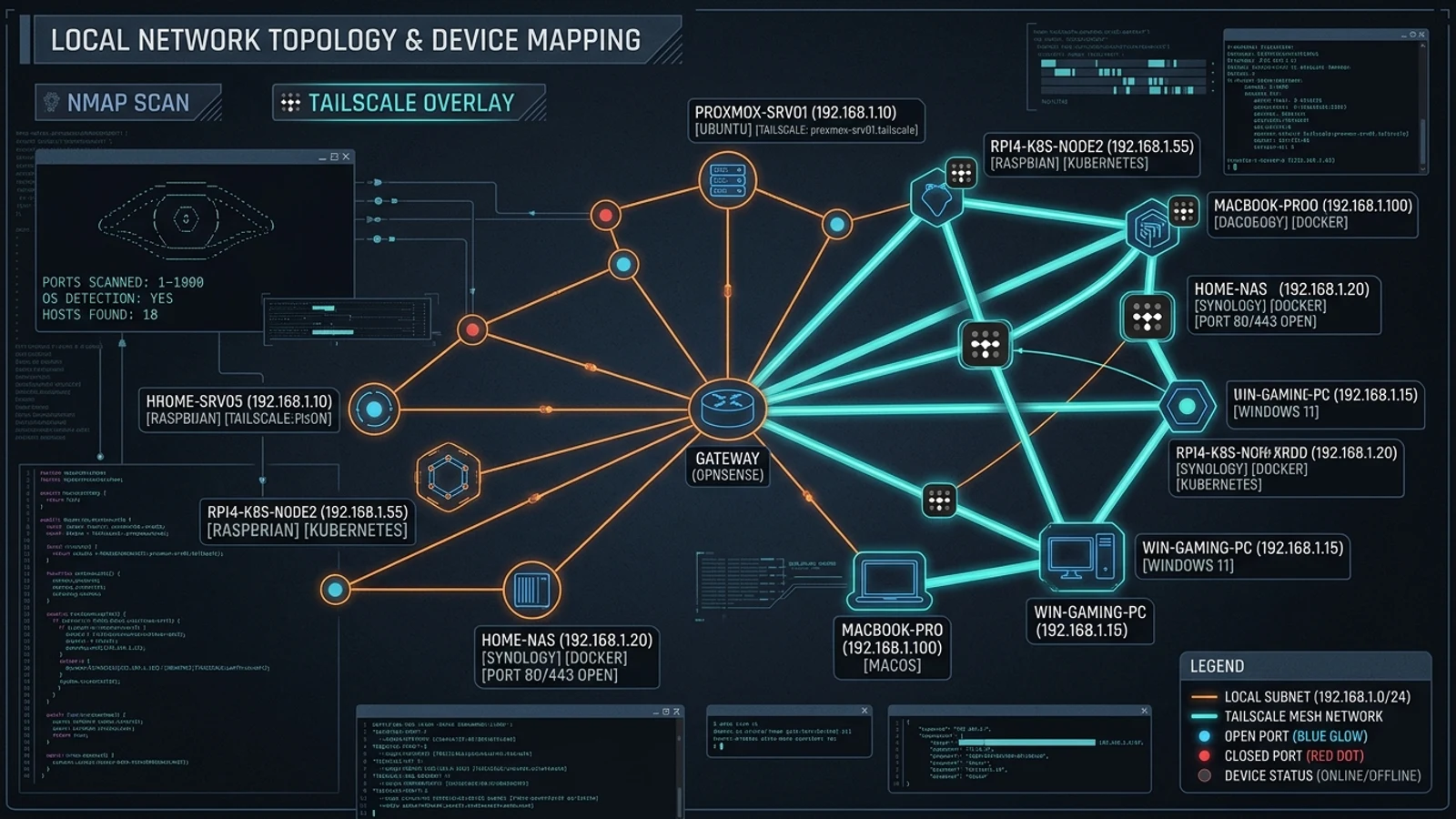
LAN Orangutan: Nmap-Powered Visual Device Scanner & Tailscale Integrator
Visual Homelab Mapping: Automated Nmap Discovery and Tailscale Integration
Maintaining an accurate physical and logical map of devices in a homelab typically requires manual terminal nmap executions or maintaining static spreadsheets that quickly become obsolete as new microcontrollers, VMs, and smart devices join the subnet. LAN Orangutan provides an elegant, self-hosted visual management plane that unifies active Nmap scanning with Tailscale mesh network metadata.
Packaged as a zero-dependency Docker container, LAN Orangutan periodically scans local subnets, extracts open listening ports, resolves device hostnames, and surfaces topology insights through a modern, responsive web dashboard.
What It Is
LAN Orangutan is an open-source network discovery, asset labeling, and monitoring tool built specifically for homelabbers and small office environments. It eliminates database complexity by storing state locally within its container volume.
Key capabilities include automated scheduled subnet scanning, port mapping, custom device tagging and grouping, multi-subnet awareness, and native integration with the Tailscale API to correlate local hardware with remote mesh nodes.
Why You Have Not Heard Of It
Created by the 291-Group team as a dedicated homelab utility, LAN Orangutan was designed to eliminate the friction between raw CLI scan outputs and heavyweight enterprise monitoring platforms. Featured in leading self-hosted publications, it has gained rapid adoption due to its instant Docker deployment and clean, purposeful design.
How It Works
LAN Orangutan operates across three unified subsystems:
- Non-Blocking Nmap Scanner: Executes background ARP and TCP/UDP port scans across specified CIDR ranges to detect active hosts and identify listening daemons without saturating network bandwidth.
- Tailscale API Connector: Authenticates with Tailscale to enrich local discovery tables with node identities, MagicDNS hostnames, and tailnet IP addresses.
- Responsive Web UI: Delivers a visual inventory interface featuring instant search, custom icon assignments, dark mode support, and embedded CLI control.
Running It
Deploying LAN Orangutan takes seconds using Docker Compose:
services:
  lan-orangutan:
    image: ghcr.io/291-group/lan-orangutan:latest
    container_name: lan-orangutan
    network_mode: "host"
    restart: unless-stopped
    volumes:
      - ./data:/data
    environment:
      - TZ=UTC
      - SCAN_SUBNET=192.168.1.0/24
      - SCAN_INTERVAL=300
Start the container:
docker compose up -dOpen http://<SERVER_IP>:8080 to view your discovered network assets and organize your homelab topology.
What It Replaces
- Manual CLI Nmap Commands: Converts raw terminal scan outputs into a persistent, searchable, visual inventory.
- Outdated Network Spreadsheets: Automatically updates presence status and port changes as infrastructure evolves.
- Proprietary Network Utilities: Delivers an unlimited, privacy-respecting network map running entirely within your LAN.
Limitations
LAN Orangutan is built for device discovery and topological awareness. It is not an Intrusion Prevention System (IPS) or deep packet inspection firewall; it focuses strictly on discovery, port auditing, and asset documentation.
Who It Is For
- Homelab sysadmins managing dynamic IoT, virtualization, and storage subnets.
- Tailscale mesh network users wanting a single unified view of local and remote hardware nodes.
- Small team network administrators needing a lightweight, zero-maintenance asset scanner.
Conclusion
LAN Orangutan delivers clarity and simplicity to local network management. By combining the battle-tested power of Nmap with modern containerized design, it is a fantastic addition to any homelab dashboard.