NextExplorer: Modern Self-Hosted Web File Explorer and Sharing Portal
NextExplorer: Fast Web File Management and Collaboration for Self-Hosted Storage
Managing files across a network of home servers and remote storage pools requires an interface that balances accessibility with operational simplicity. For years, the default choice for lightweight file management was File Browser. However, following the official archiving of the File Browser repository in August 2026 as covered in our analysis of File Browser security risks, self-hosters faced a dilemma between unmaintained scripts or bloated enterprise suites like Nextcloud.
The NextExplorer project, developed under the GNU General Public License v3.0, stepped directly into this gap. Featured in Self-Host Weekly on September 11, 2026, NextExplorer provides a clean, single-container web file navigator that pairs modern interface ergonomics with deep enterprise access controls.
What It Is
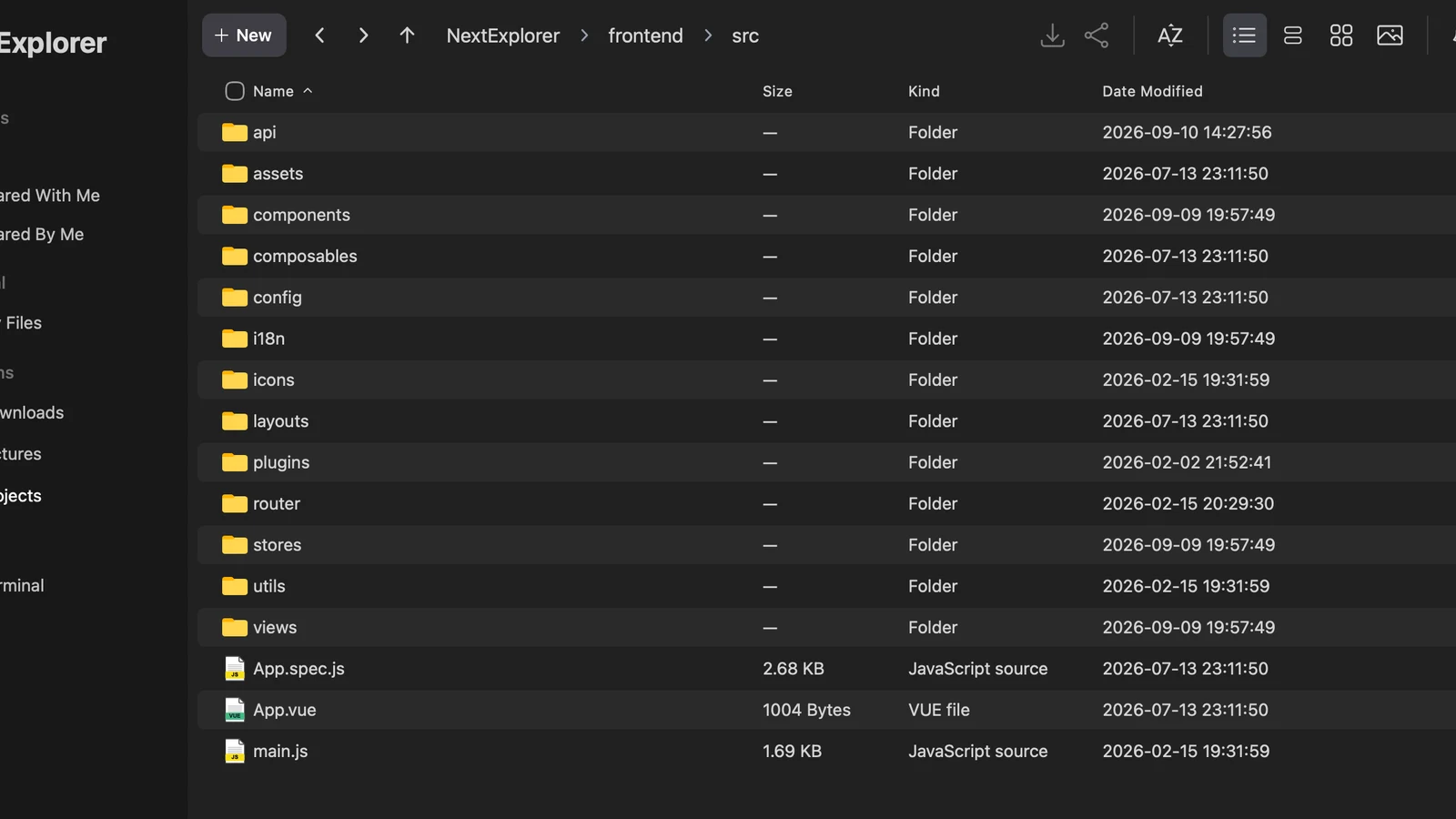
NextExplorer is a web-based file manager designed to run directly on your storage host. It lets users browse, view, edit, stream, and share files stored across local directories and mounted network shares from any standard browser.
Unlike monolithic groupware suites that force files into proprietary database schemas, NextExplorer operates directly on your existing filesystem hierarchy. Directories mounted into the container appear immediately in the interface. The platform includes native multi-user permission controls, OpenID Connect (OIDC) authentication, ripgrep-accelerated content search, inline media streaming via FFmpeg, and built-in code and markdown editing.
Why You Have Not Heard Of It
Most self-hosted storage discussions remain dominated by decades-old platforms or massive collaboration suites. File Browser held the minimalist niche for nearly a decade, meaning alternative implementations received little attention while the incumbent appeared stable.
NextExplorer gained significant traction among homelab operators throughout 2026 as maintenance on legacy tools slowed. The project focused on shipping practical infrastructure features, such as granular volume scoping, token-based link sharing, and SSO compatibility with modern identity providers like tinyauth, rather than marketing campaigns.
How It Works
NextExplorer separates its runtime into an embedded backend service and a responsive single-page web client:
Incoming traffic hits the NextExplorer service. Requests authenticate via local credentials or an upstream OIDC Identity Provider with role claims.
The policy engine checks user permissions, assigned volume boundaries, and per-directory access restrictions stored in internal SQLite metadata.
File operations execute directly against mounted host storage paths under /mnt without database locks, proprietary chunking, or schema migrations.
Media files generate on-the-fly thumbnails via FFmpeg, while full-text search queries execute through embedded ripgrep processes for instant results.
Filesystem Mount Model
NextExplorer uses a predictable volume mapping scheme. Any storage volume or host folder mounted inside the container under /mnt/<Label> surfaces automatically in the web sidebar as a top-level storage location named <Label>. This makes it straightforward to attach disparate storage backends, including local ZFS pools, NFS shares from a NAS, or dedicated scratch disks, without updating configuration files or restarting backend workers.
Administrators can enforce isolation by setting USER_VOLUMES=true, which restricts standard users to specific storage volumes explicitly granted by the administrator, or USER_DIR_ENABLED=true, which provisions dedicated private home folders for each account.
Integrated Search and File Editing
Finding files across tens of thousands of directories is handled through integrated ripgrep support. When SEARCH_DEEP=true is set, NextExplorer queries file contents in addition to directory names. The search engine respects configurable file size boundaries (SEARCH_MAX_FILESIZE=5MB) to prevent large binary dumps from exhausting container memory during search indexing.
For text, script, and markdown files, NextExplorer provides a built-in code editor with syntax highlighting, line numbering, and bracket matching. Users can review configuration files or edit shell scripts directly from the browser, removing the need to establish SSH sessions or configure Samba shares for quick administrative edits.
Comparative Feature Analysis
Self-Hosted Web File Manager Comparison
| Feature Metric | NextExplorer | File Browser (Archived) | Nextcloud | FileRun |
|---|---|---|---|---|
| Active Maintenance | Active (GPL-3.0) | Archived August 2026 | Active | Proprietary Closed Source |
| Container Footprint | Single container (~120MB RAM) | Single container (~30MB RAM) | Multi-container (DB, Redis, Web) | Single container + DB |
| OpenID Connect SSO | Built-in native support | Requires external proxy hack | Supported via app plugin | Enterprise license required |
| Filesystem Storage Model | Direct host pass-through | Direct host pass-through | Database-synced abstraction | Direct host pass-through |
| Content Search Engine | Integrated ripgrep | Basic filename pattern match | Full-text search (needs Solr/ES) | Lucene / Apache Tika |
| Sharing Controls | Password, expiry, upload mode | Basic link sharing | Full granular sharing | Full granular sharing |
| Media Transcoding | Built-in FFmpeg preview | Basic client-side playback | Plugin-dependent | External tools required |
Running It
Deploying NextExplorer requires a single container definition with persistent config and cache paths:
services:
  nextexplorer:
    image: nxzai/explorer:latest
    container_name: nextexplorer
    restart: unless-stopped
    ports:
      - "3000:3000"
    volumes:
      - ./config:/config
      - ./cache:/cache
      - /mnt/storage/documents:/mnt/Documents
      - /mnt/storage/media:/mnt/Media
    environment:
      - NODE_ENV=production
      - PUBLIC_URL=http://localhost:3000
      - PUID=1000
      - PGID=1000
      - AUTH_MODE=both
      - SESSION_SECRET=replace_with_a_secure_random_string_at_least_32_chars
      - SEARCH_DEEP=true
      - SEARCH_RIPGREP=true
To integrate NextExplorer with an upstream OpenID Connect provider such as Authentik or tinyauth, enable OIDC variables in your container environment:
OIDC_ENABLED=true
OIDC_ISSUER=https://auth.homelab.internal/application/o/nextexplorer/
OIDC_CLIENT_ID=nextexplorer
OIDC_CLIENT_SECRET=generated_oidc_client_secret
OIDC_SCOPES=openid profile email groups
OIDC_ADMIN_GROUPS=homelab-admins
OIDC_AUTO_CREATE_USERS=true
What It Replaces
NextExplorer replaces unmaintained single-binary file managers like File Browser, which no longer receive security patches or bug fixes. It also replaces unwieldy Nextcloud deployments on servers where users only require reliable web file navigation, media previews, and secure link sharing without the maintenance burden of PostgreSQL upgrades, Redis locks, and PHP extensions.
Limitations
- No Native Desktop Sync Daemon: NextExplorer does not ship client sync daemons for Windows, macOS, or Linux. Users who need continuous bidirectional folder synchronization should pair NextExplorer with Syncthing or look to Seafile.
- Horizontal Scaling Constraints: The application uses an embedded SQLite database to track users, permissions, and share links. Running multiple NextExplorer container instances against the same config volume is not supported without shared filesystem locking.
- Office Document Collaboration: While NextExplorer integrates with external OnlyOffice Document Server instances for office file viewing and editing, it does not embed an office suite out of the box.
Who It Is For
NextExplorer is ideal for homelab operators, small engineering teams, and media server administrators who need a secure, fast, and modern web window into their existing host storage without reformatting disks or managing multi-container database architectures.
Summary Assessment
NextExplorer fills the void left by File Browser by coupling direct host filesystem access with modern authentication and search primitives. While large organizations with desktop sync needs still require Seafile or Nextcloud, homelabs and small development teams benefit from a single container that operates directly on existing directory trees without database locks.