Proxmox VE: Building Your Own Cloud on the Open Virtualization Platform: The Complete Practical Guide
Proxmox VE: Building Your Own Cloud on the Open Virtualization Platform
Proxmox VE was never a secret among infrastructure engineers. But the announcement Proxmox Server Solutions made on September 2, 2026 settles the question that commercial lock-in kept open: a fully open-source platform under AGPLv3 now carries direct, vendor-first support around the clock, every day of the year, starting October 19, 2026. With more than 2.3 million active Proxmox VE servers worldwide and over 60,000 enterprises holding paid support plans, the question is no longer whether the platform is mature, but rather what you are waiting for.
This guide takes you from zero: the architecture, the actual installation documented against the official wiki, repository setup, and an honest assessment of the limitations and the workloads it fits.
What It Is
Proxmox VE (Virtual Environment) is an open-source virtualization management platform built on top of Debian GNU/Linux, combining two hypervisors in one system:
| Engine | Technology | Best for |
|---|---|---|
| Full virtual machines | KVM/QEMU | Complete operating systems, Windows, custom kernels, strong isolation |
| Lightweight containers | LXC | Linux services at high density with minimal resource overhead |
Everything is managed through an integrated web interface covering disks, networks, clusters, backups, and monitoring. The command line is there when you want it, not when you need it.
The layers that matter for modern infrastructure:
- ZFS integrated directly in the installer with full software RAID levels without requiring a dedicated hardware RAID controller
- Ceph for hyper-converged deployments with distributed storage across cluster nodes
- Software-defined networking (SDN) with tunnels and BGP/EVPN fabrics, greatly expanded in the 9.2 release
- Clustering with high availability (HA) that relocates workloads automatically when a node fails
Why Now: The September 2, 2026 Announcement
According to the official press release, the move has two pillars:
First, global 24/7 support: starting October 19, 2026, enterprise support expands to continuous coverage across all time zones, delivered by Proxmox’s own engineers rather than a third party, and covering Proxmox VE, Proxmox Backup Server, and Proxmox Datacenter Manager, including offline updates and key activation for regulated, air-gapped environments.
Second, Proxmox North America Inc.: a new subsidiary headquartered in Kingston, Ontario, led by CEO Bill Hughes, handling sales and contracts in USD and CAD plus business-hours technical support across the Eastern through Pacific time zones. Product development and core engineering remain in Vienna.
Availability by subscription tier, as stated in the release:
| Tier | 24/7 coverage |
|---|---|
| Premium | Included from day one, with unlimited tickets, 2-hour prioritized response, and SLA-backed escalation for production outages |
| Standard | Opens during a subsequent onboarding window in Q4 2026 |
| Basic | No SLA change, but noticeably shorter real-world round-trip times as teams now work beyond Austrian business hours |
Tim Marx, COO of Proxmox Server Solutions, framed the motivation: customers in regulated sectors (healthcare, government, finance) want direct vendor-backed support that does not depend on someone’s local business hours, and removing that hesitation is what it takes to put open-source infrastructure at the core of a production stack.
How It Works Under the Hood
Each node runs Debian plus the Proxmox kernel with KVM/QEMU for virtual machines and LXC for containers, all managed through the same web interface.
Nodes form a cluster over Corosync for quorum and state, while the SDN layer handles network zones, encrypted tunnels, and advanced routing across sites.
Local ZFS pools per node, or distributed Ceph storage for a hyper-converged setup that enables live migration and unified backups.
The cluster manager restarts workloads on a healthy node after a failure, and the Dynamic Load Balancer introduced in 9.2 migrates work proactively based on real-time CPU and memory utilization.
Version 9.2, released May 21, 2026, added three headline capabilities per the official announcement: a Dynamic Load Balancer that continuously evaluates node utilization and migrates workloads automatically, a significantly expanded SDN stack, and web-interface management of custom CPU models to reduce live-migration compatibility issues across heterogeneous nodes.
Installing It Step by Step
Requirements
Per the official Proxmox VE wiki:
| Item | Minimum (evaluation) | Recommended (production) |
|---|---|---|
| CPU | 64-bit x86 with Intel VT or AMD-V | Same, or ARMv9-A for arm64 |
| RAM | 1 GB plus guest memory | 2 GB for the OS plus guest workloads, and roughly 1 GB per TB of used ZFS/Ceph storage |
| Storage | One disk | SSDs with power-loss protection, or hardware RAID with BBU |
| Network | One NIC | Redundant multi-gigabit NICs |
An important note for tinkerers: official arm64 support currently covers the NVIDIA Grace Hopper and Vera platforms, with other ARMv9+ UEFI hardware on a best-effort basis. Device-tree-only boards such as the Raspberry Pi are not supported because they lack UEFI and ACPI.
The Installation Walkthrough
-
Download the ISO from the official Proxmox website and write it to a USB drive
-
Boot from it and choose Install Proxmox VE (Graphical) (a Terminal UI mode exists for older or very new hardware with driver issues)
-
Accept the license and select the target disk. Note that the installer erases everything on the selected disks by default
-
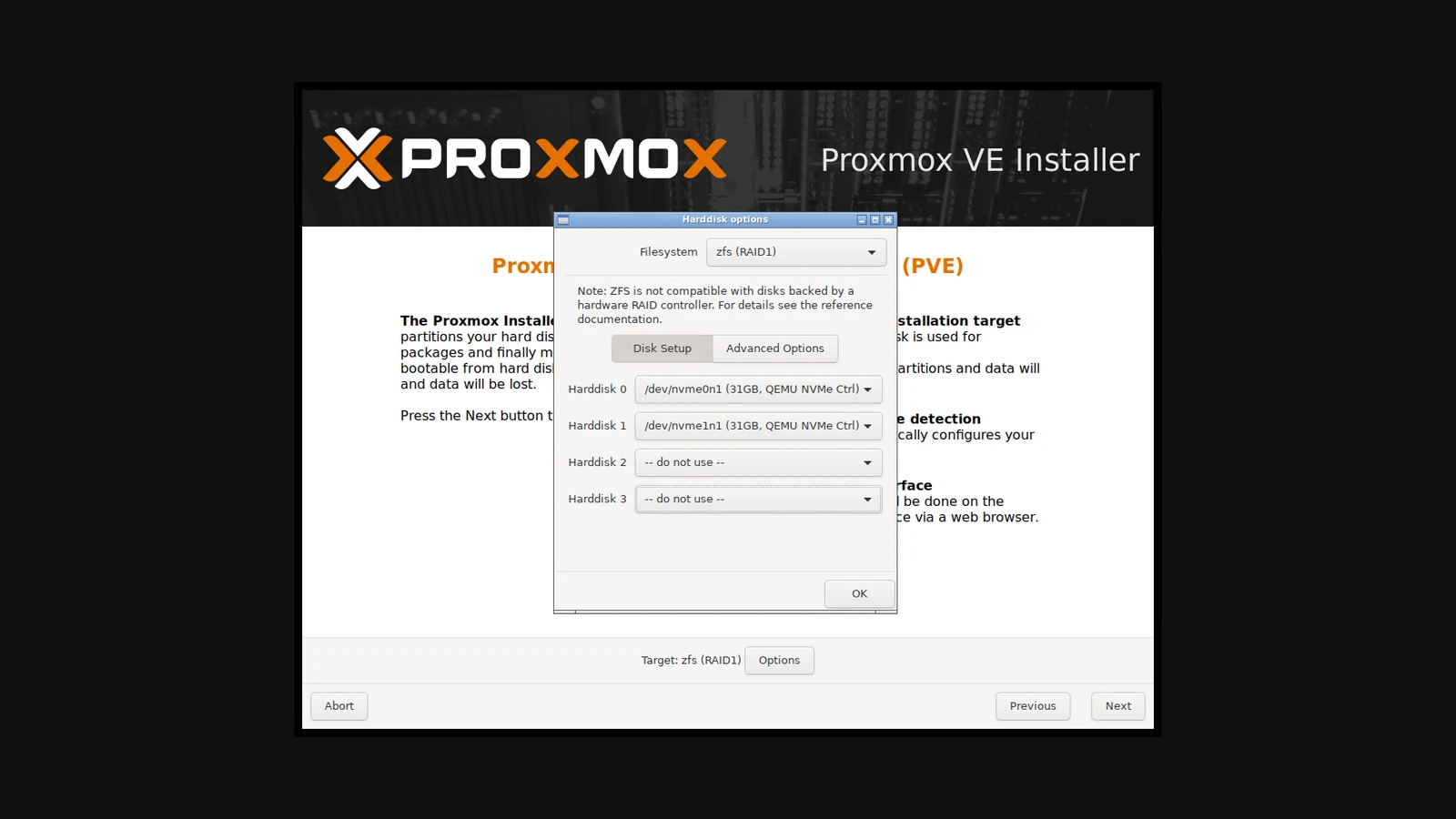
Under Options, pick the filesystem: the
ext4orxfsdefaults, orZFS (RAID1)for instant mirroring across two drives, matching what the official installer screenshot at the top of this guide shows -
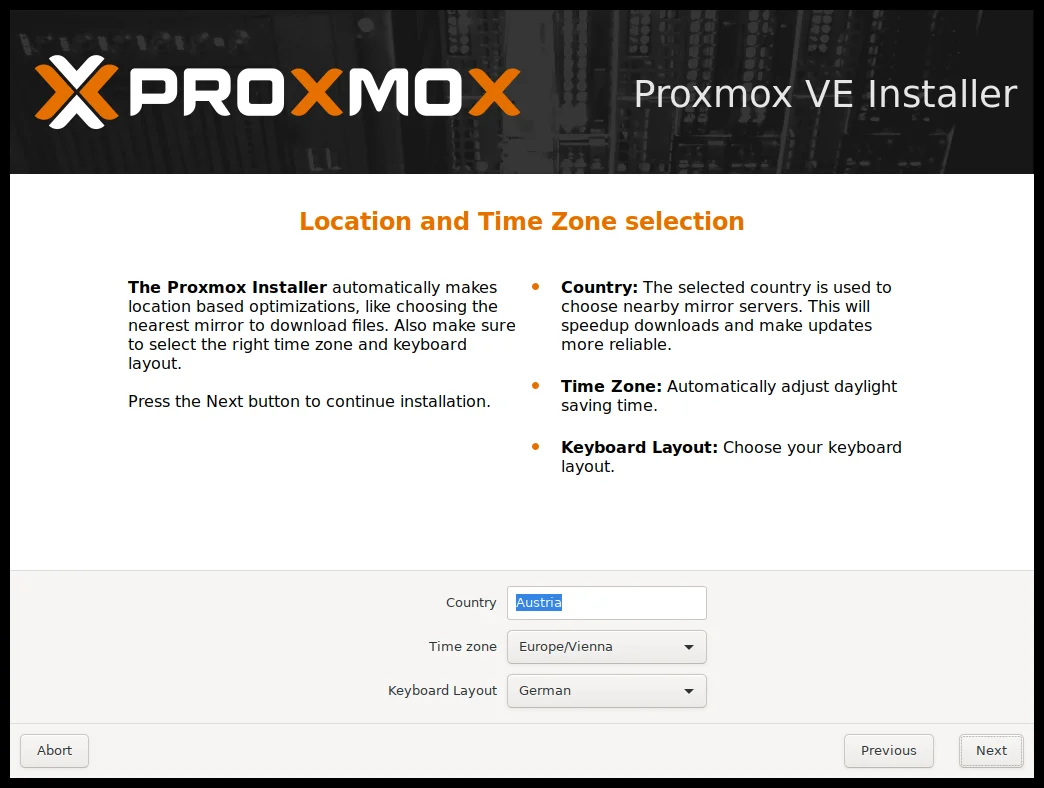
Choose your country, timezone, and keyboard layout; the country setting also selects the nearest package mirror to speed up updates later
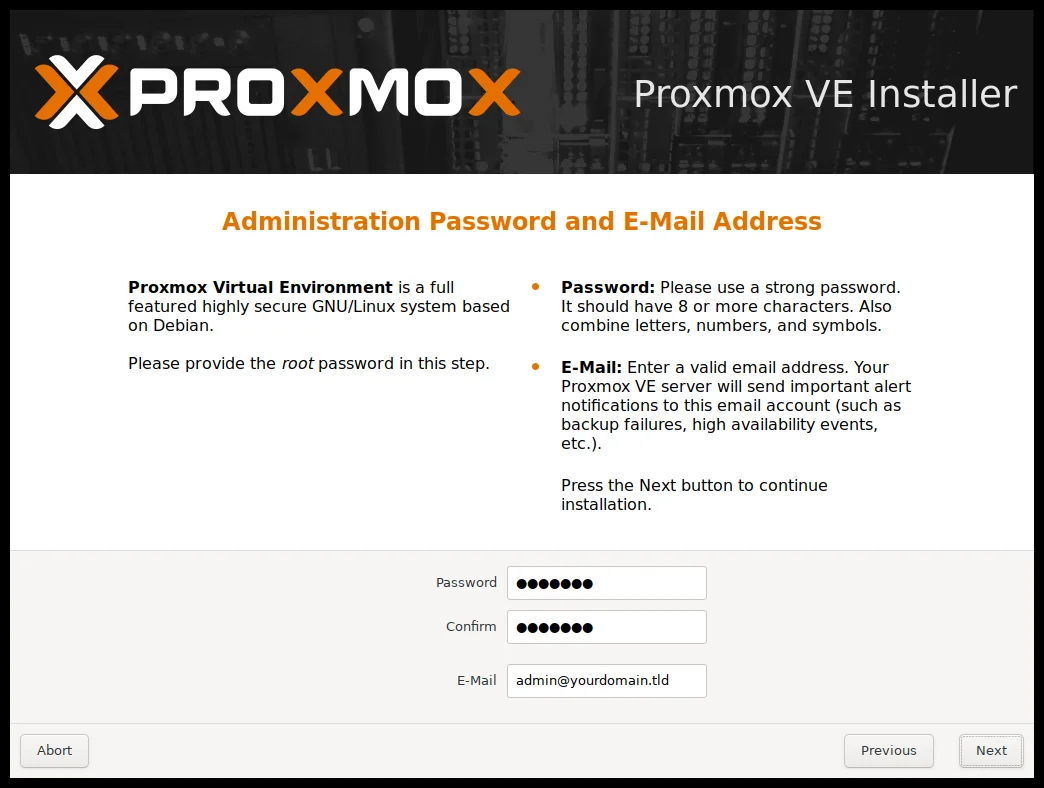
- Set the root password (12+ characters recommended) and the administrator email that will receive update notifications and cron error alerts
- Select the management network interface and set the hostname and address (the installer takes IPv4 or IPv6, while dual-stack is configured after installation), review the summary, and hit Install
A few minutes later the system reboots and the web interface is available at:
https://<server-address>:8006Repository Setup After Installation
The pve-enterprise repository is enabled by default and requires a subscription key. For personal and homelab use, switch to the No-Subscription repository by creating:
Types: deb
URIs: http://download.proxmox.com/debian/pve
Suites: trixie
Components: pve-no-subscription
Signed-By: /usr/share/keyrings/proxmox-archive-keyring.gpg
Then disable the enterprise repository by adding Enabled: no to its entry in /etc/apt/sources.list.d/pve-enterprise.sources, and update:
apt update && apt full-upgradeFor production, the official documentation recommends staying on the Enterprise repository (its packages undergo extensive testing) with a subscription key. That is exactly the logic the 24/7 announcement builds on: the subscription buys stability and support, not features.
What It Replaces
- VMware ESXi and vSphere: the headline replacement. Broadcom’s post-acquisition strategy of killing the free ESXi hypervisor and restructuring licensing into mandatory subscription bundles pushed thousands of companies and homelabs to migrate, and Proxmox has been the primary beneficiary with a platform that pairs KVM and Ceph without per-core billing
- Microsoft Hyper-V: a fit for teams that want independence from Windows Server licensing cycles, at the cost of losing deep Active Directory and System Center integration
- Standalone container hosts: built-in LXC removes the need to manage Docker on separate servers for heavyweight services, while Docker remains available inside VMs (and technically inside LXC containers, though nested containerization is not officially recommended)
- Heavyweight private-cloud stacks (OpenStack): when you need three nodes rather than three hundred, Proxmox delivers HA, distributed storage, and SDN without a dedicated OpenStack team
Licensing and Subscriptions
Proxmox VE’s source code is fully open under GNU AGPLv3: downloading and using it is free with zero functional restrictions, and every feature is available to everyone. No gated doors.
A paid subscription buys exactly three things: access to the stable Enterprise repository, official technical support (going 24/7 in October), and official use of the Proxmox branding. Nothing in the platform itself stops working when a subscription lapses, contrasting sharply with the forced-migration model that drove VMware users away.
Limitations
Honest evaluation requires knowing where Proxmox stops:
- arm64 support is narrow in practice: officially the NVIDIA platforms, with nothing for cheap SBC boards, meaning a pocket-size homelab node requires looking outside the platform
- Major upgrades demand patience: jumping major versions (8→9) requires following the upgrade guides step by step with full backups, and should never be treated as routine patching
- No deep enterprise management layer: user and permission management exists, but enterprise IdP integration and granular RBAC are simpler than what giant vSphere deployments offer
- The ZFS and Ceph learning curve: the features are easy to enable, but understanding ARC tuning, replication semantics, and the ~1 GB per terabyte memory guideline for Ceph/ZFS takes real time
- No broad hardware certification program: there is no vendor-scale compatibility catalogue, which makes you responsible for validating your own hardware matrix
Who It Is For
- Homelab builders: the best starting point for running self-hosted services and the substrate for tools like Uptime Kuma for monitoring and Vaultwarden for password management
- Startups and agencies: hosting client workloads on dedicated servers with an open alternative to commercial billing. If you manage more apps than machines, pair it with Dokploy for self-hosted deployments on top of similar infrastructure
- Small and mid-size infrastructure: teams that want HA, distributed storage, and unified backups without a specialist crew or licensing constraints
- Regulated environments: air-gapped deployments are first-class citizens in the new support offering, signaling the platform’s maturity across government, healthcare, and finance
Conclusion
Proxmox VE did not need this guide to be taken seriously; 60,000 enterprise support contracts already confirmed that. But the September 2, 2026 announcement closes the last reasonable argument against running it in critical production: direct support from the people who write the code, around the clock, with no intermediaries. For anyone building virtual infrastructure they actually own in 2026 under AGPLv3 with enterprise-backed support and an active community, the calculus has become hard to argue with.
Sources
- Official press release: 24/7 support expansion and Proxmox North America launch (September 2, 2026)
- Proxmox VE 9.2 release with Dynamic Load Balancer (May 21, 2026)
- Proxmox VE Wiki: official installation guide
- Proxmox VE Wiki: package repositories
- Proxmox VE Wiki: system requirements
- Official licensing and subscription pricing page