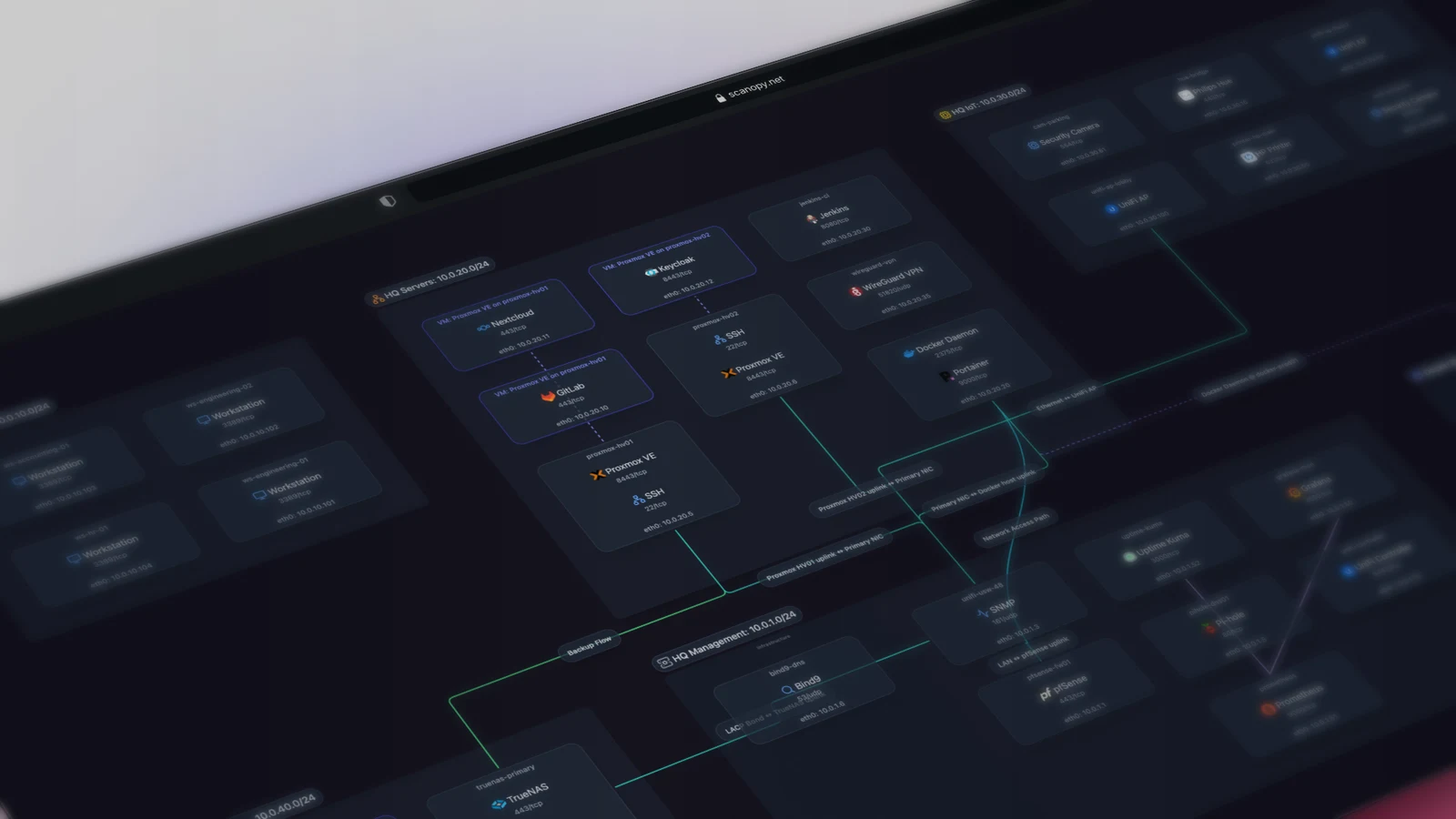
Scanopy: Self-Hosted Continuous Network Topology and Infrastructure Diagramming
Scanopy: Automated Network Documentation, Topology Discovery, and Living Architecture Maps
Maintaining accurate network documentation is one of the most neglected operational responsibilities in infrastructure engineering. Engineers often spend hours manually drawing diagrams in draw.io or Microsoft Visio, only for the diagrams to become obsolete the moment a new virtual machine boots or an unmanaged switch moves to a different rack. Infrastructure-as-Code (IaC) files describe intent rather than reality, consistently missing configuration drift, manual hotfixes, and rogue devices attached to private subnets.
The Scanopy project, published under the AGPL-3.0 license with over 5,700 GitHub stars, eliminates manual diagramming. Following its v0.17.15 release on September 15, 2026, Scanopy delivers an automated scanning engine that translates active network telemetry into living, self-updating architecture maps.
What It Is
Scanopy is a self-hosted network discovery and topology documentation platform. It deploys a scheduled discovery daemon that maps four interconnected operational layers from a single scan: physical Layer 2 (L2) switch connections, logical Layer 3 (L3) subnets, server workloads, and application service dependencies.
Rather than producing static bitmap graphics, Scanopy generates interactive web maps that track infrastructure drift over time. Operators can inspect individual switch ports, verify VLAN tag boundaries, drill down into container workloads running on Proxmox VE virtualization hosts, and export live topology diagrams into Mermaid code, SVG vector assets, or documentation wikis.
Why You Have Not Heard Of It
Network mapping tools have long been polarized into two extremes: enterprise Network Configuration and Change Management (NCCM) suites that cost tens of thousands of dollars, or raw command-line scanners like Nmap and passive asset trackers like NetAlertX that catalog IP addresses without assembling interconnected topology graphs.
Scanopy bridges this gap by focusing specifically on the documentation output. Instead of presenting raw tabular lists of MAC addresses, Scanopy uses active discovery protocols (LLDP, CDP, SNMP, ARP, and Docker sockets) to model how physical and logical assets connect to one another. The project reached prominence across homelab and sysadmin communities throughout 2026 as operators sought automated alternatives to manually drawn diagrams.
How It Works
Scanopy splits operational responsibilities between a privileged local discovery daemon, a centralized PostgreSQL time-series store, and an interactive web presentation server:
The Scanopy Daemon queries local interfaces, LLDP/CDP neighbor tables, SNMP switch forwarding databases, and the host Docker socket.
Raw discovery payloads ship to the central server. The ingestion pipeline reconciles MAC-to-port bindings, detects drift, and logs topology deltas.
The graph engine correlates physical switch ports (L2), subnet routing (L3), virtualized hypervisors, and container services into distinct layers.
Operators navigate the topology in real time, export clean SVG or Mermaid diagram code, or embed living maps directly into internal wikis.
The Four Operational Layers
Scanopy structures complex network data into four dedicated views, preventing diagram clutter:
- L2 (Physical Layer): Maps every managed switch, physical interface, trunk port, and cable run. By querying switch Bridge MIBs and LLDP data, Scanopy reveals which physical port connects each host.
- L3 (Logical Layer): Displays IP subnet boundaries, gateway routers, DHCP scopes, and VLAN associations, highlighting cross-subnet routing bottlenecks.
- Workloads View: Bridges physical infrastructure to compute resources. It groups bare-metal servers, virtual machines, and container instances by hypervisor node.
- Applications View: Identifies service dependencies, open port listeners, and inter-application communication flows, illustrating how frontend services connect to backend databases.
Automated Drift Detection
When a host switches physical switch ports or an unauthorized device joins an internal VLAN, manual documentation falls out of sync immediately. Scanopy runs continuous scans on configurable schedules (such as every hour or daily). When changes occur, the platform flags the delta in its audit history.
For documentation pipelines, Scanopy provides automated exports. Diagrams can be converted on the fly to Mermaid markdown syntax, allowing engineering teams to commit living architecture diagrams directly into Git repositories alongside code.
Comparative Feature Analysis
Network Documentation and Asset Discovery Comparison
| Evaluation Metric | Scanopy | NetBox | draw.io / Visio | NetAlertX |
|---|---|---|---|---|
| Documentation Model | Automated living discovery | Manual Source of Truth (DCIM/IPAM) | Static manual drawing | Tabular device catalog |
| Physical L2 Switch Mapping | Automatic via LLDP/SNMP | Manual cable documentation | Manual diagramming | ARP and MAC tracking only |
| Workload & Container Tracking | Native Docker socket integration | Manual plugin setup | Static shapes | Container IP scanning |
| Export Capabilities | Interactive Web, SVG, Mermaid | REST API, Webhooks | Static XML, PNG, PDF | Tabular CSV, API |
| Drift Detection | Automated visual change tracking | Manual audit reconciliation | None (decays immediately) | Device join/leave alerts |
| Deployment Complexity | Docker Compose (Server, Daemon, DB) | Multi-tier (Django, Redis, Postgres) | Desktop app / Browser | Single Docker container |
Running It
Scanopy deploys using a multi-service Docker Compose architecture comprising the web server, PostgreSQL database, and the privileged discovery daemon:
services:
  daemon:
    image: ghcr.io/scanopy/scanopy/daemon:latest
    container_name: scanopy-daemon
    network_mode: host
    privileged: true
    restart: unless-stopped
    environment:
      - SCANOPY_LOG_LEVEL=info
      - SCANOPY_SERVER_URL=http://127.0.0.1:60072
    volumes:
      - daemon-config:/root/.config/scanopy/daemon
      - /var/run/docker.sock:/var/run/docker.sock:ro

  postgres:
    image: postgres:17-alpine
    container_name: scanopy-postgres
    restart: unless-stopped
    environment:
      - POSTGRES_DB=scanopy
      - POSTGRES_USER=postgres
      - POSTGRES_PASSWORD=replace_with_a_secure_database_password
    volumes:
      - postgres_data:/var/lib/postgresql/data

  server:
    image: ghcr.io/scanopy/scanopy/server:latest
    container_name: scanopy-server
    restart: unless-stopped
    ports:
      - "60072:60072"
    environment:
      - SCANOPY_LOG_LEVEL=info
      - SCANOPY_DATABASE_URL=postgresql://postgres:replace_with_a_secure_database_password@postgres:5432/scanopy
      - SCANOPY_PUBLIC_URL=http://localhost:60072
    volumes:
      - ./data:/data
    depends_on:
      - postgres
      - daemon

volumes:
  postgres_data:
  daemon-config:
Once the containers initialize, access the web portal at http://<server-ip>:60072 to complete initial account setup. The daemon will automatically initiate its first discovery pass across attached local subnets.
What It Replaces
Scanopy replaces static, manually drawn network charts in draw.io, Visio, and Lucidchart that inevitably decay over time. While passive scanners like LAN-Orangutan provide raw port scans, Scanopy contextualizes those assets into interconnected topology maps. It also complements Data Center Infrastructure Management (DCIM) tools like NetBox by validating whether physical reality matches documented intention.
Limitations
- Unmanaged Switch Blind Spots: Scanopy relies on standard management protocols like SNMP, LLDP, and CDP to resolve physical switch port associations. Low-cost unmanaged switches that do not maintain address resolution tables appear as generic Ethernet segments.
- Privileged Daemon Requirements: To probe low-level network headers, broadcast ARP frames, and inspect Docker sockets, the discovery daemon must run with
privileged: trueandnetwork_mode: host. - Large Enterprise Scope: Scanning expansive enterprise networks with hundreds of routed VRFs requires deploying multiple distributed daemons across each isolated security zone.
Who It Is For
Scanopy is built for homelab administrators, network engineers, and DevOps teams who need reliable, self-updating architectural documentation for audits, troubleshooting, and infrastructure planning without spending hours drawing boxes by hand.
Summary Assessment
Scanopy bridges the gap between passive IP asset scanners and manual diagram editors by continuously translating switch forwarding tables, routing subnets, and container sockets into interactive topology graphs. Exporting these maps directly into SVG and Mermaid formats allows engineering teams to keep infrastructure documentation versioned alongside production code.